92
92

 技术社区[云栖]
AlertDialog使用实例
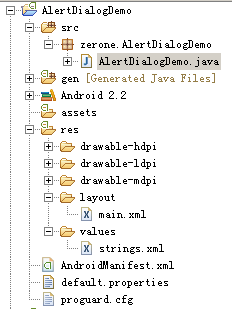
创建项目AlertDialogDemo如图

AlertDialogDemo.java文件代码如下:
01 |
package
zerone.AlertDialogDemo;
|
03 |
import
android.app.Activity;
|
05 |
public
class AlertDialogDemo extends
Activity {
|
06 |
/** Called when the activity is first created. */
|
07 |
final
int DIALOG_WELCOME =
1;
|
08 |
private
Button btn_alert;
|
10 |
public
void onCreate(Bundle savedInstanceState) {
|
11 |
super.onCreate(savedInstanceState);
|
12 |
setContentView(R.layout.main);
|
13 |
btn_alert=(Button)findViewById(R.id.btn_dialog);
|
14 |
btn_alert.setOnClickListener(new
View.OnClickListener() {
|
16 |
public
void onClick(View v) {
|
17 |
showDialog(DIALOG_WELCOME);//调用onCreateDialog
|
23 |
protected
Dialog onCreateDialog(int
id, Bundle args) {
|
26 |
return
new AlertDialog.Builder(AlertDialogDemo.this)
|
27 |
.setTitle("欢迎").setMessage("欢迎使用本程序")
|
28 |
.setIcon(android.R.drawable.ic_dialog_info)
|
29 |
.setPositiveButton("确定",
new OnClickListener() {
|
31 |
public
void onClick(DialogInterface dialog,
int which) {
|
32 |
Toast.makeText(AlertDialogDemo.this,"点击\"确定\"按钮后",
Toast.LENGTH_SHORT).show();
|
main.xml文件如下:
01 |
<?xml
version="1.0"
encoding="utf-8"?>
|
03 |
android:orientation="vertical"
|
04 |
android:layout_width="fill_parent"
|
05 |
android:layout_height="fill_parent"
|
08 |
android:layout_width="fill_parent" |
09 |
android:layout_height="wrap_content" |
10 |
android:text="@string/app_title"
|
13 |
android:id="@+id/btn_dialog"
|
14 |
android:layout_width="fill_parent"
|
15 |
android:layout_height="wrap_content"
|
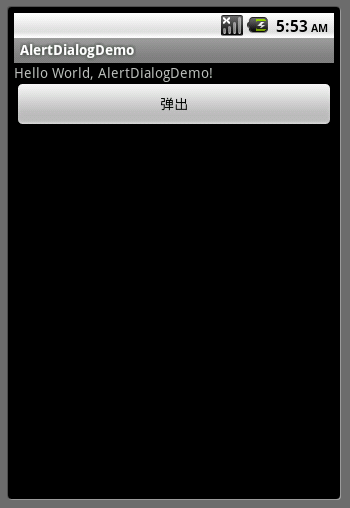
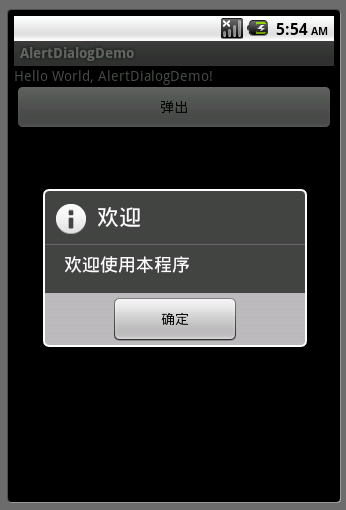
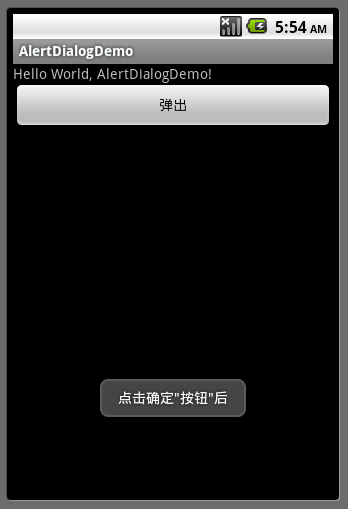
运行实例效果截图:


最后更新:2017-04-02 06:51:53